
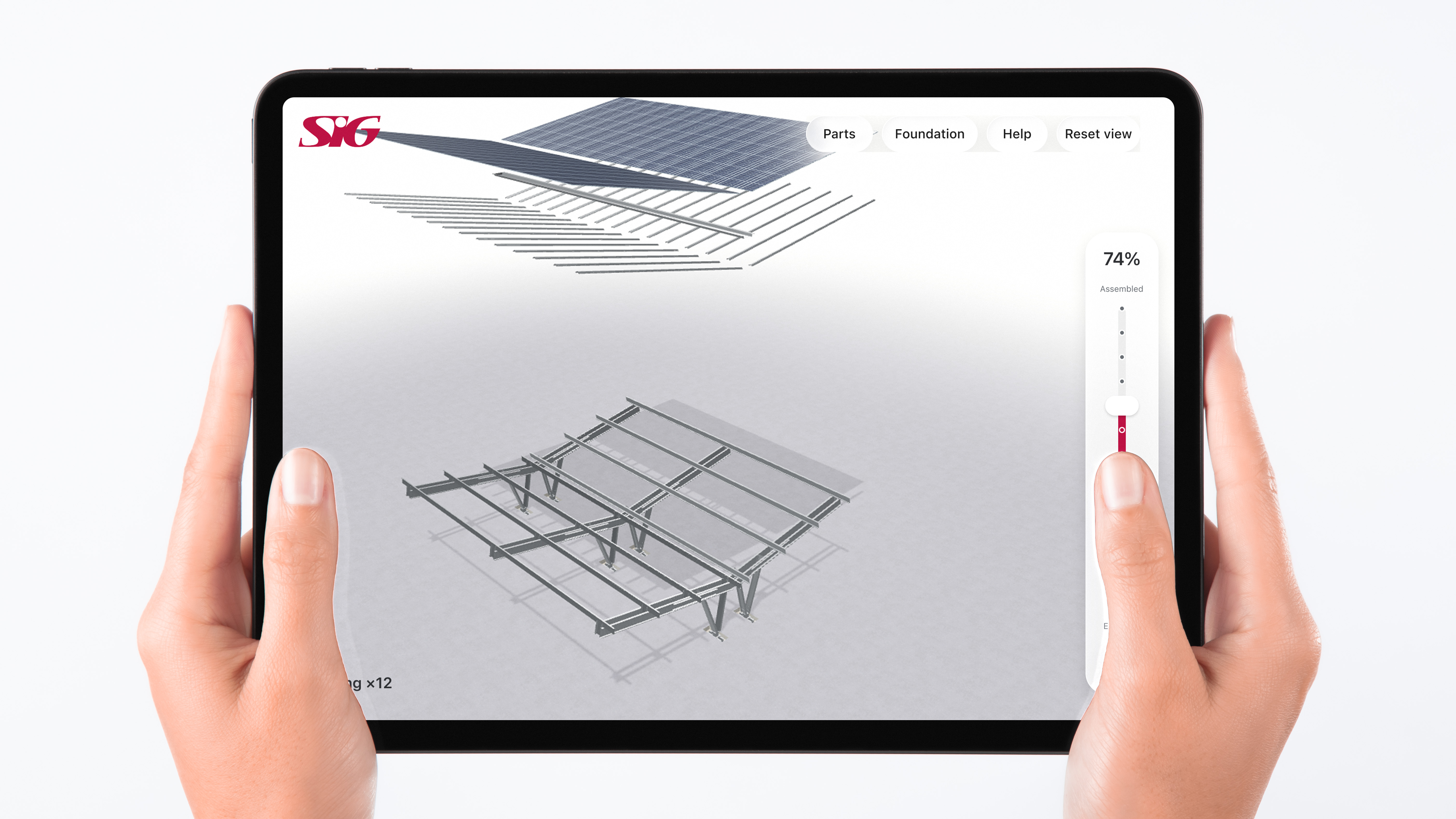
Problem
SIG’s canopies have a unique fold-out steel frame, but buyers struggled to picture how it goes together from videos and renders alone.
Business goal
Give the sales team a tool that explains the construction steps clearly and helps convert leads at trade shows and meetings.
Constraints
iPad first, desktop second. Works offline. Easy to use while holding the iPad with both hands.
V0 · Desktop app (2025)
A client interview shaped the first version: a UE5 desktop app for exploring the canopy designs on a big screen.
Wireframe → UE5 app
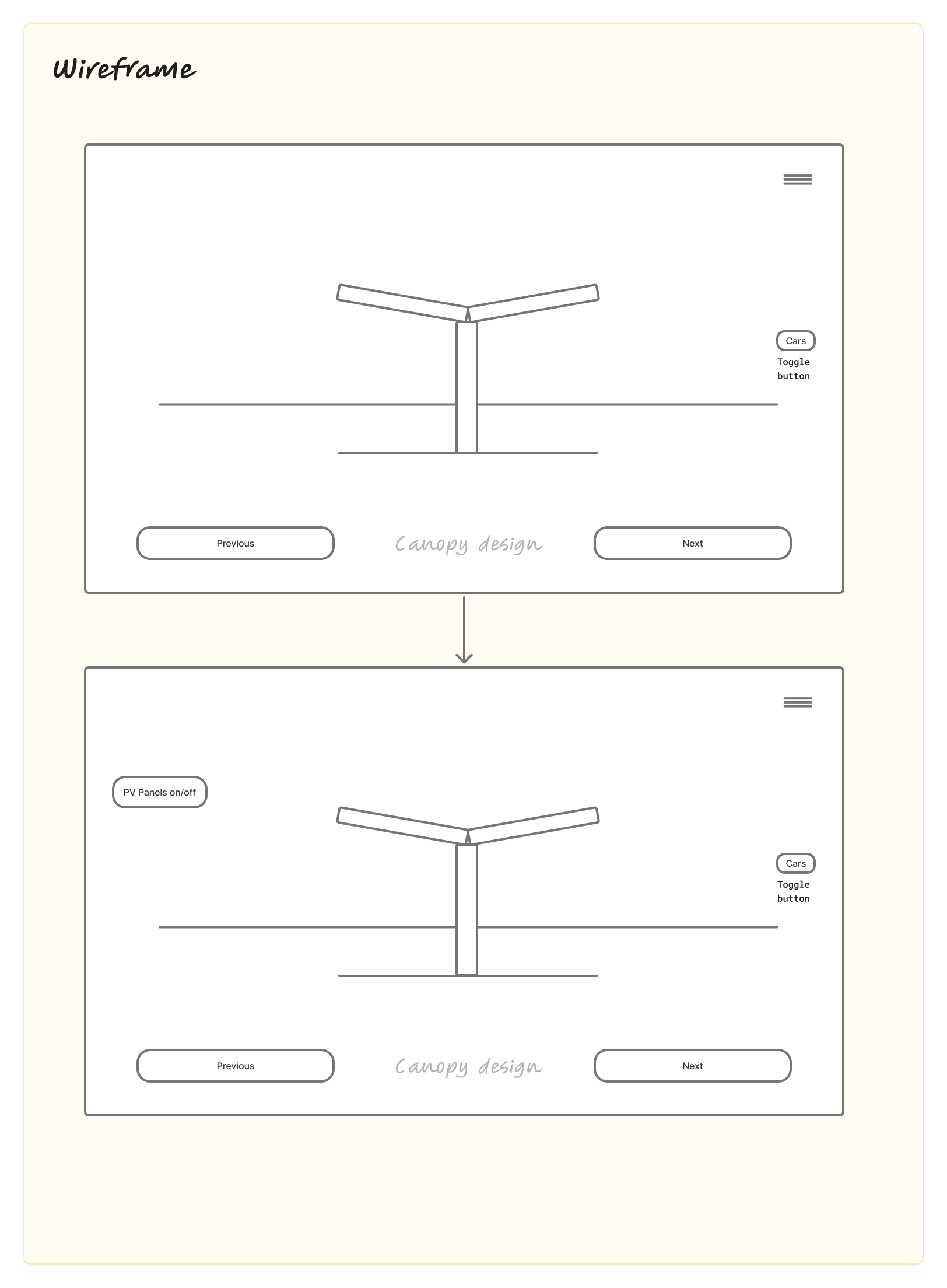
Wireframes.
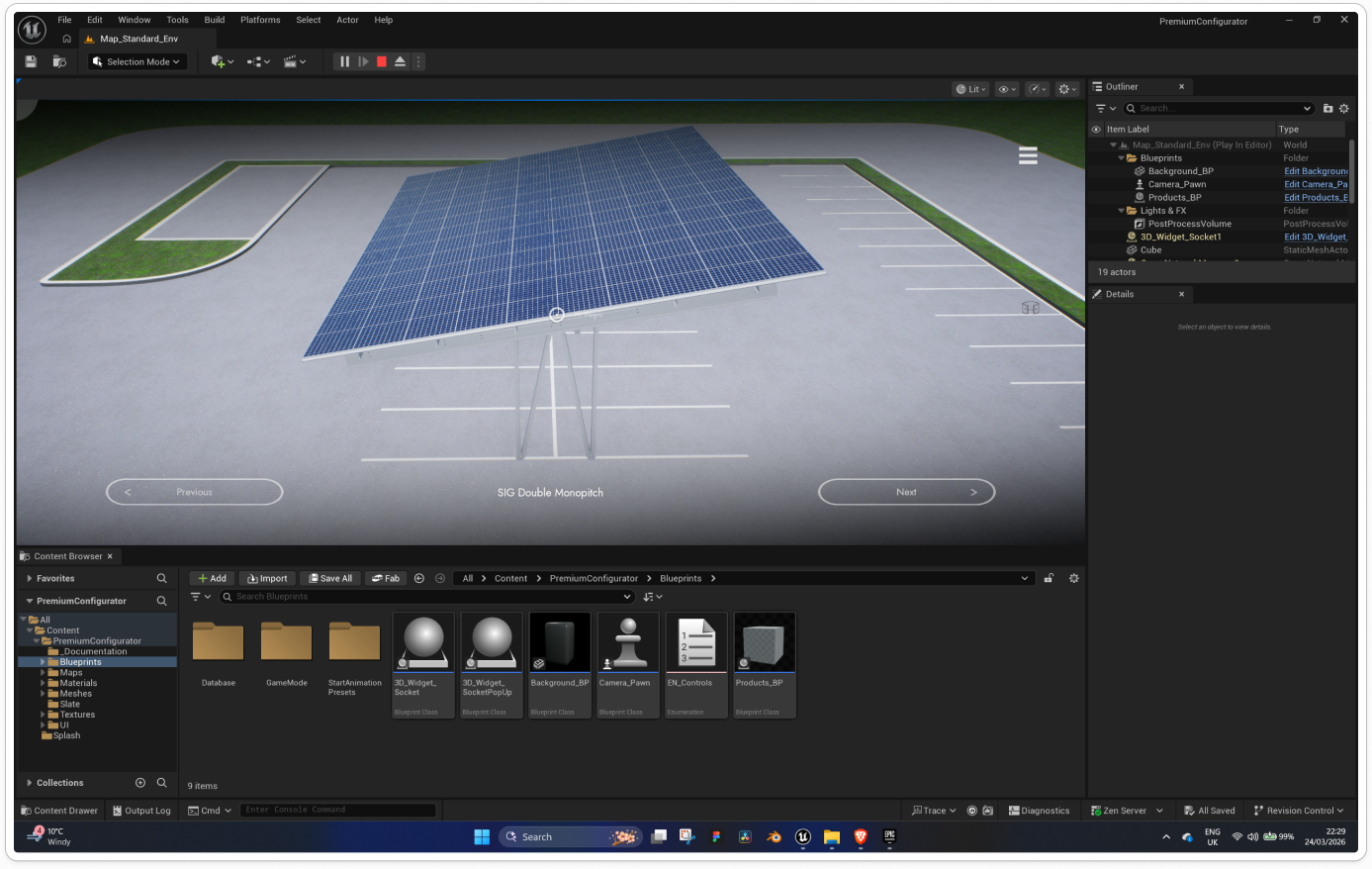
The app was built entirely in UE5 using Blueprints for navigation logic. The interface was kept deliberately simple — Previous/Next controls to cycle through the four designs — so that sales staff and exhibition visitors could use it without any training. The finished app ran on a dedicated laptop and was displayed on large screens at SIG's exhibition stands.
In use at the Solar & Storage show, 2025

Rethinking it (2026)
Feedback: too heavy for laptops, and it needed to focus on the construction steps. So I redesigned it as an iPad-first Three.js web app.
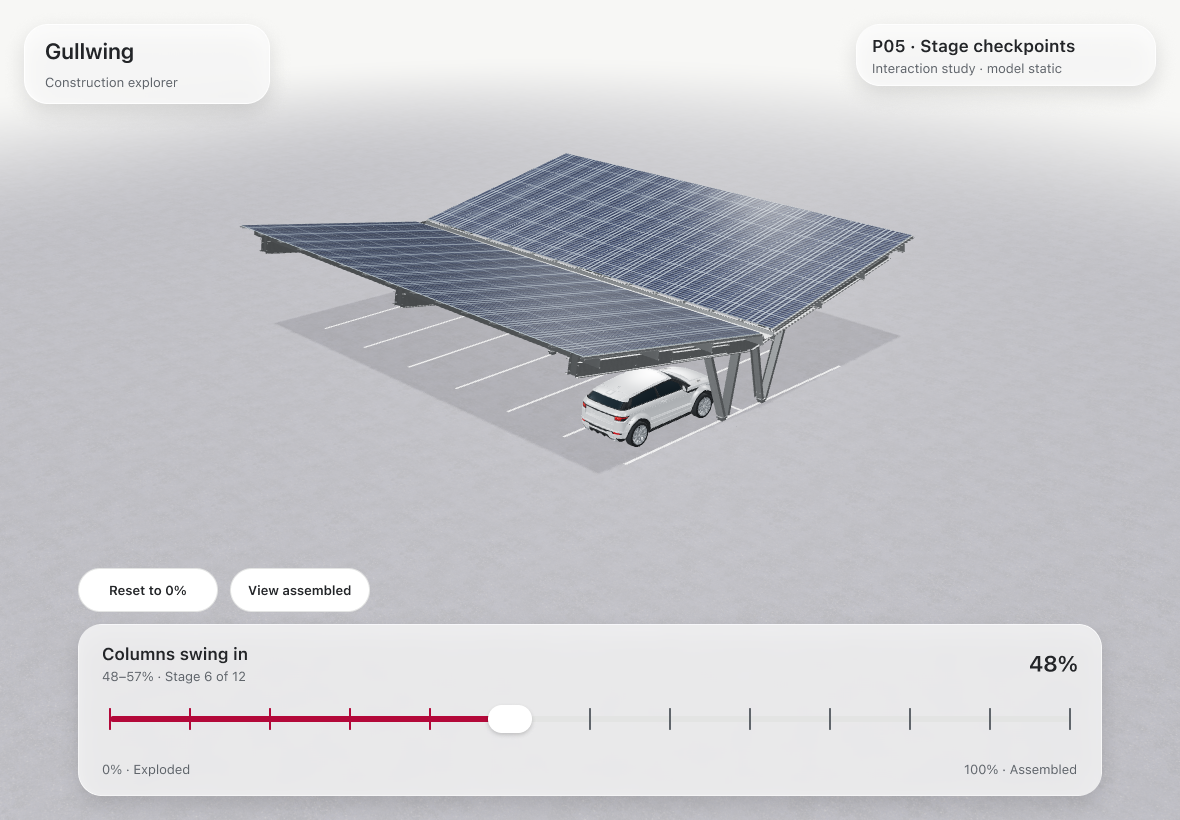
I started from the construction animations I’d made in 3ds Max. They became the base of the app’s interactive assembly, with the slider playing the same build sequence one step at a time.
3Ds Max Animations


Slider study: Horizontal vs Vertical
Horizontal: hold with the left hand, drag with the right.
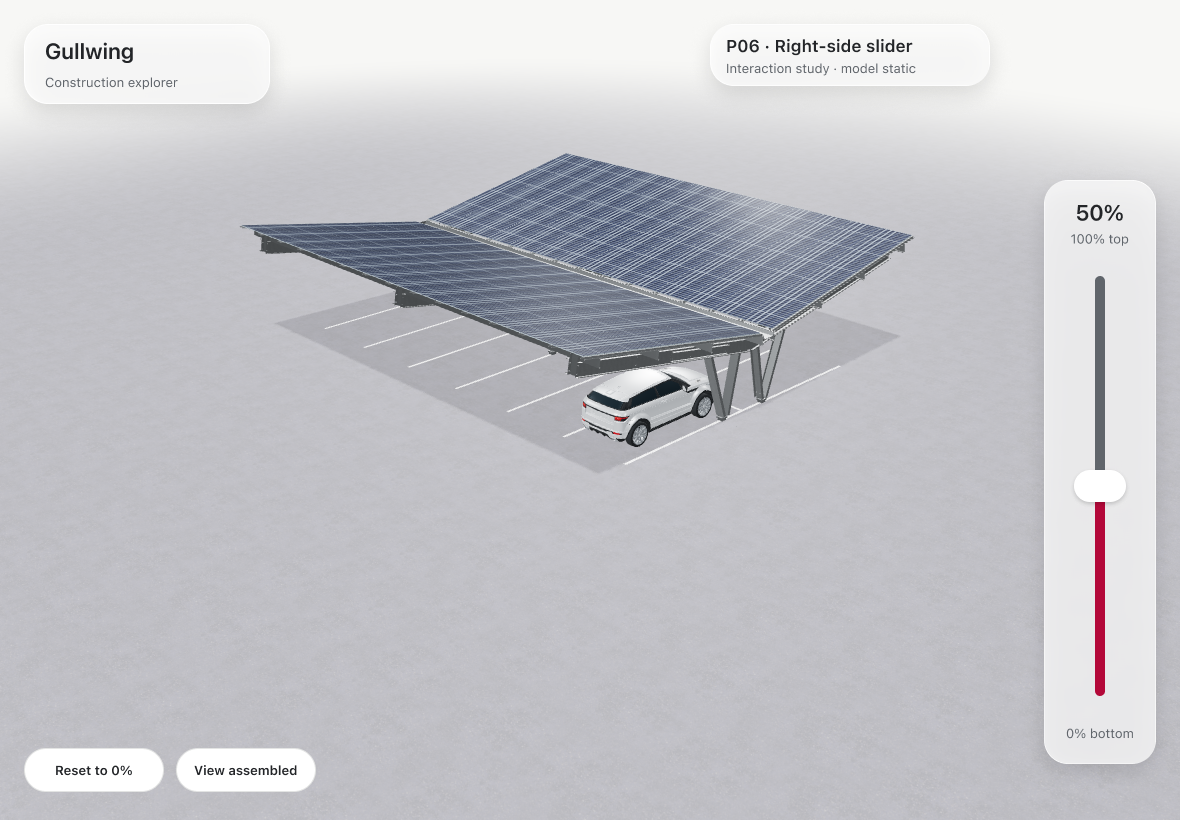
Vertical: the right thumb drives the animation, the left hand zooms and rotates.
The client tested both in a Figma prototype and chose vertical. He also asked for the animation to start exploded, which shipped in V6.
V1 · Shipped, October 2026
An installable Three.js web app that works offline. It starts exploded, assembles with the right-hand slider, and keeps your place in Parts and Foundation.
V1 · Parts and Foundation
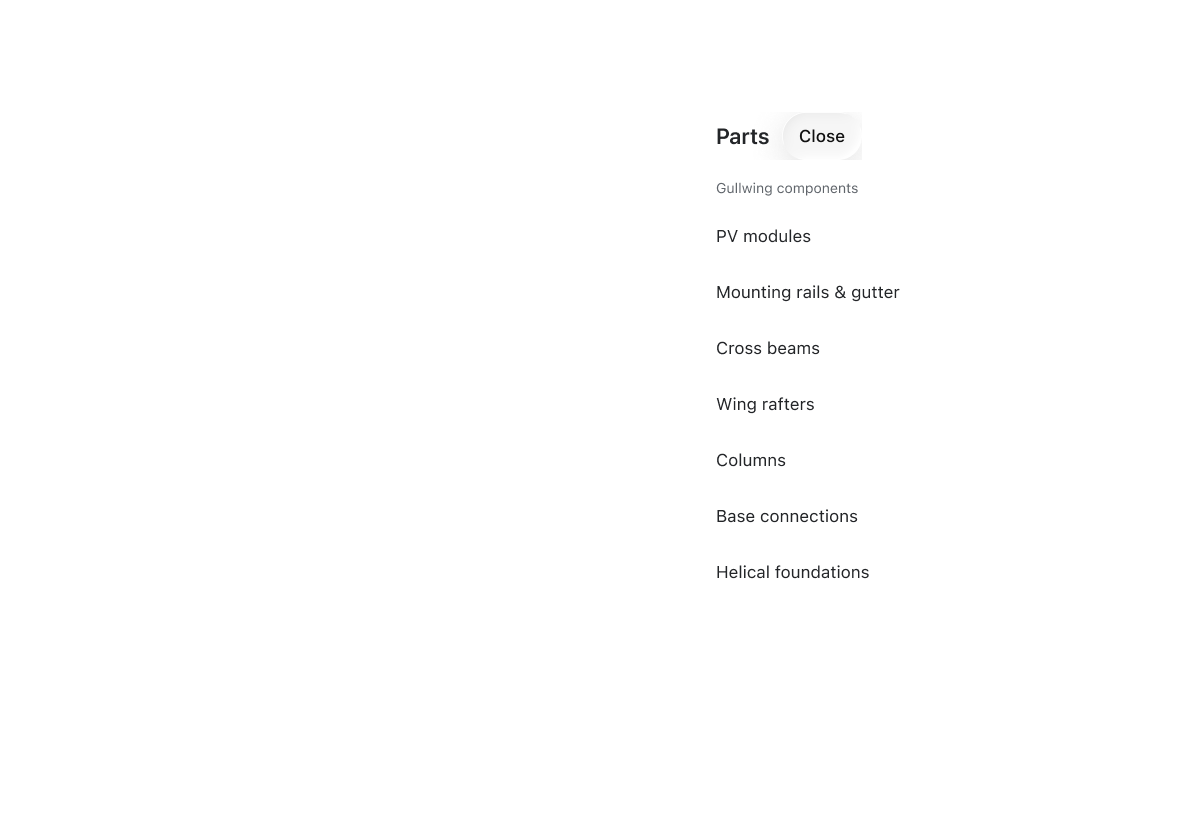
Parts panel. Closing it returns to the same stage.
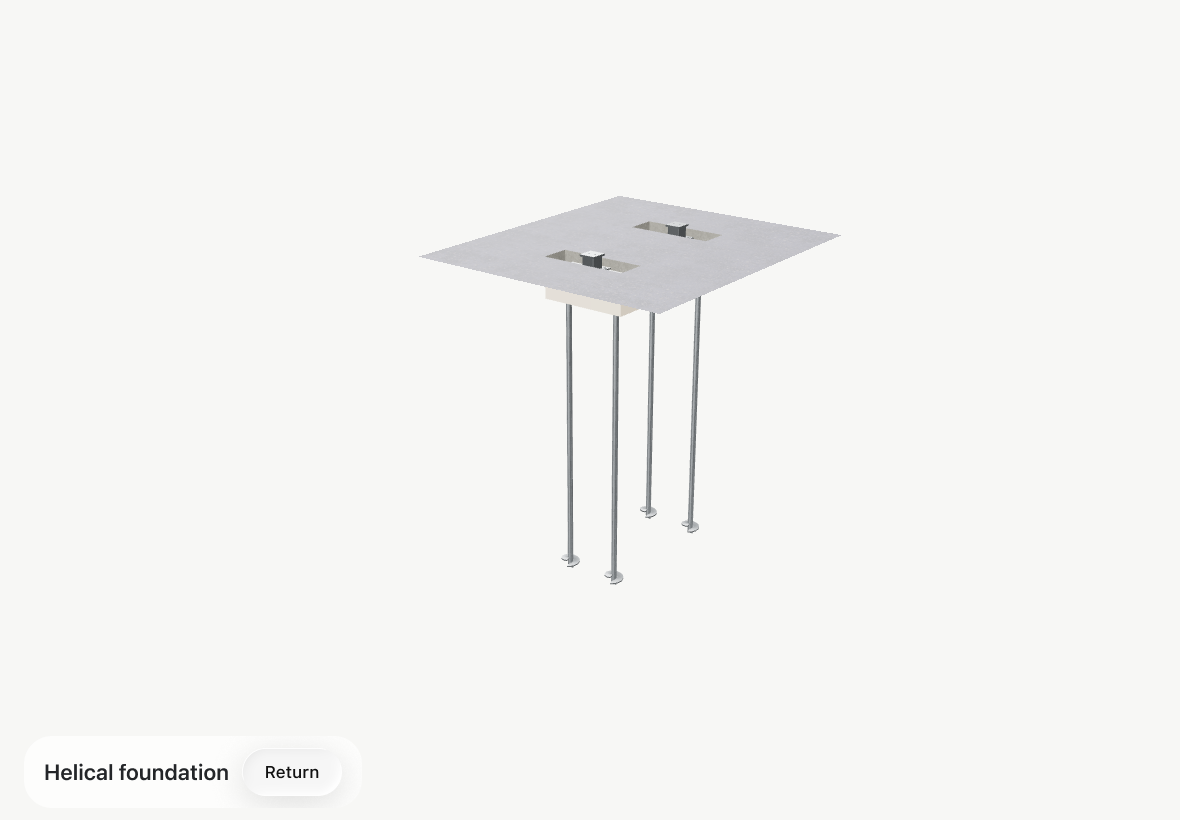
Foundation detail. Returning keeps your progress.
Design for the room, not the tool
V0 was built around what Unreal Engine could do, and it looked great on a big screen at the show. But the sales team needed something they could carry into a client meeting, hold in their hands and run without Wi-Fi. Starting V1 from where and how it’s used — standing, in bright light, mid-conversation — changed every decision, from the platform to the size of the controls.
Prototype the hardest control early
The assembly slider is the one control everyone touches, so I tested it before the build was final. Comparing horizontal and vertical in a Figma prototype showed the client could hold the iPad and scrub with his right thumb, leaving his left hand free to rotate and zoom. Settling that early meant V1 was built on a decided layout.
P07 · The control decisions behind V1
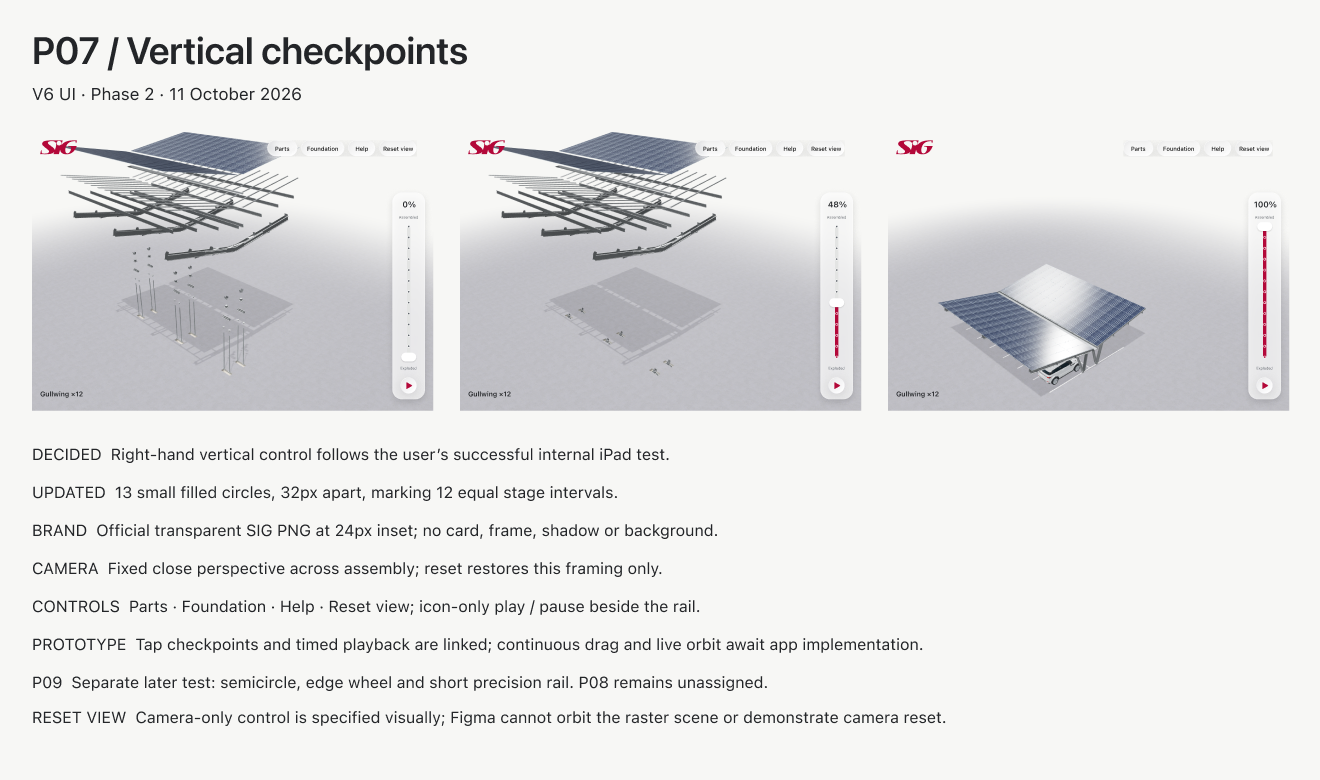
Small asks can reshape the demo
Starting the animation exploded came from one line of client feedback, and it changed the whole demo: the buyer sees every part first, then watches the canopy come together.
AI speeds up building, not deciding
AI tools helped me turn the Figma screens into a working Three.js app quickly. That freed time for the parts that matter: understanding the sales conversation, testing controls with the client and deciding what to leave out. The brief, the trade-offs and the final calls were mine.
Future build: a thumb-friendly dial
The brief asked for controls that don’t strain the fingers. In P09 I’m exploring four one-handed controls, and the semicircular thumb dial is the front-runner. Whether it ships in V1.2 or V2 depends on feedback from V1 in use.
P09 · Ideation for V1.2 / V2
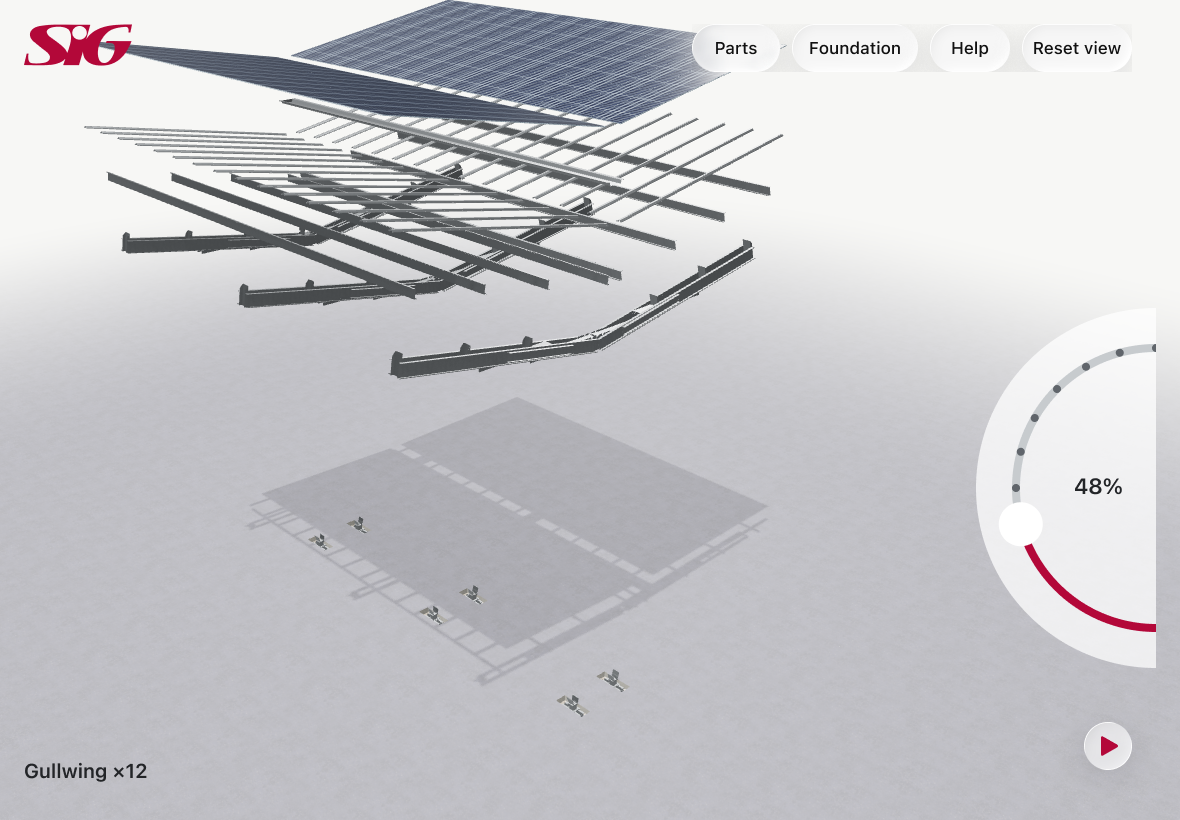
Semicircular thumb dial: the front-runner.
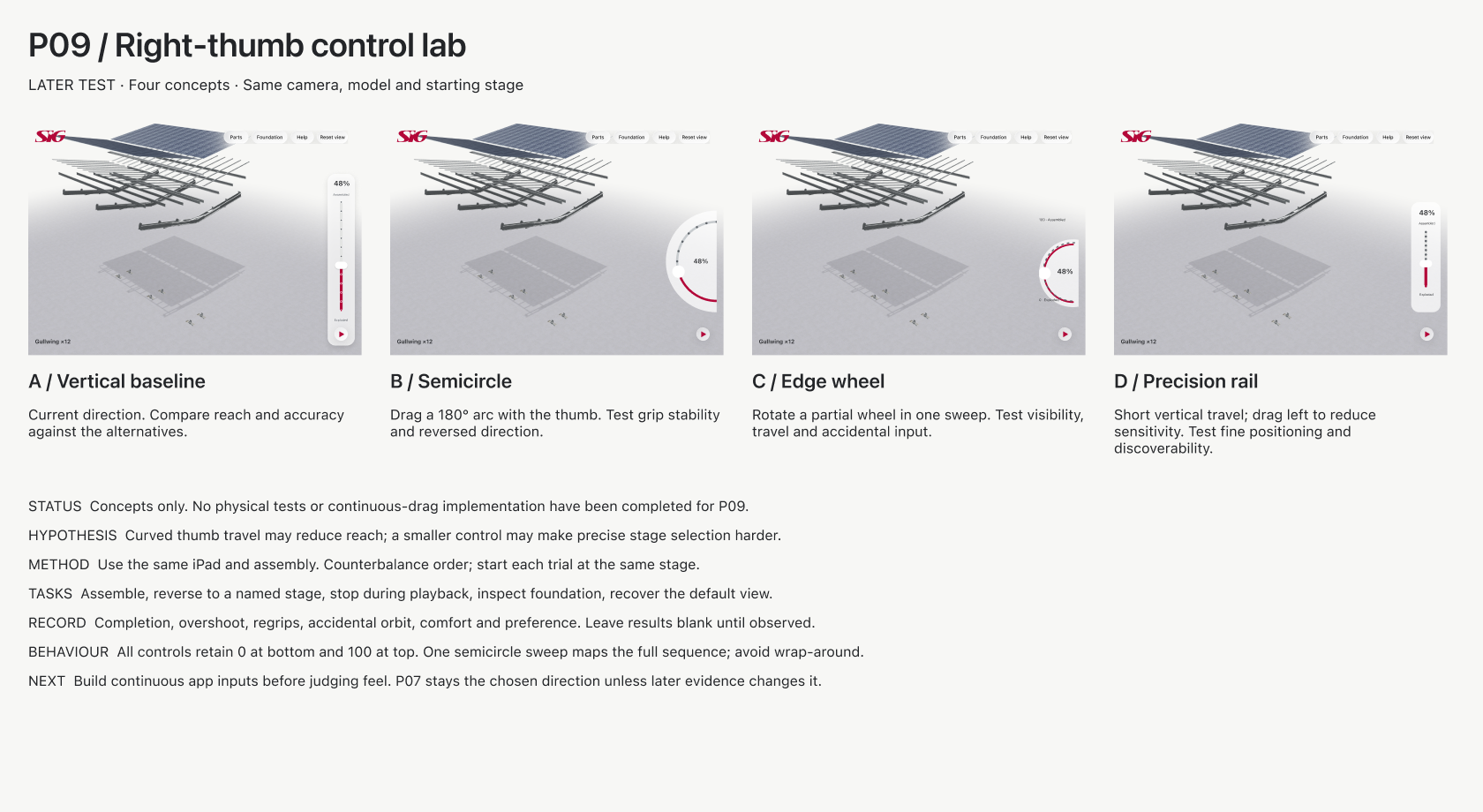
Four one-handed concepts and the test plan.
Let's Collaborate
I’m always excited to take on new and challenging work. Whether you need a brand built from the ground up, a product interface designed, or engaging 3D and motion content, I’d love to help bring it to life.